
Core Features
Create a Loan Case
Submit a new loan application through a six-step wizard: case setup, applicant details, vehicle, loan requirements, additional info, and documents.
URL: /dymora/cases/create
Who can create: Admin, Manager, Executive · Navigation: Header → Create Case
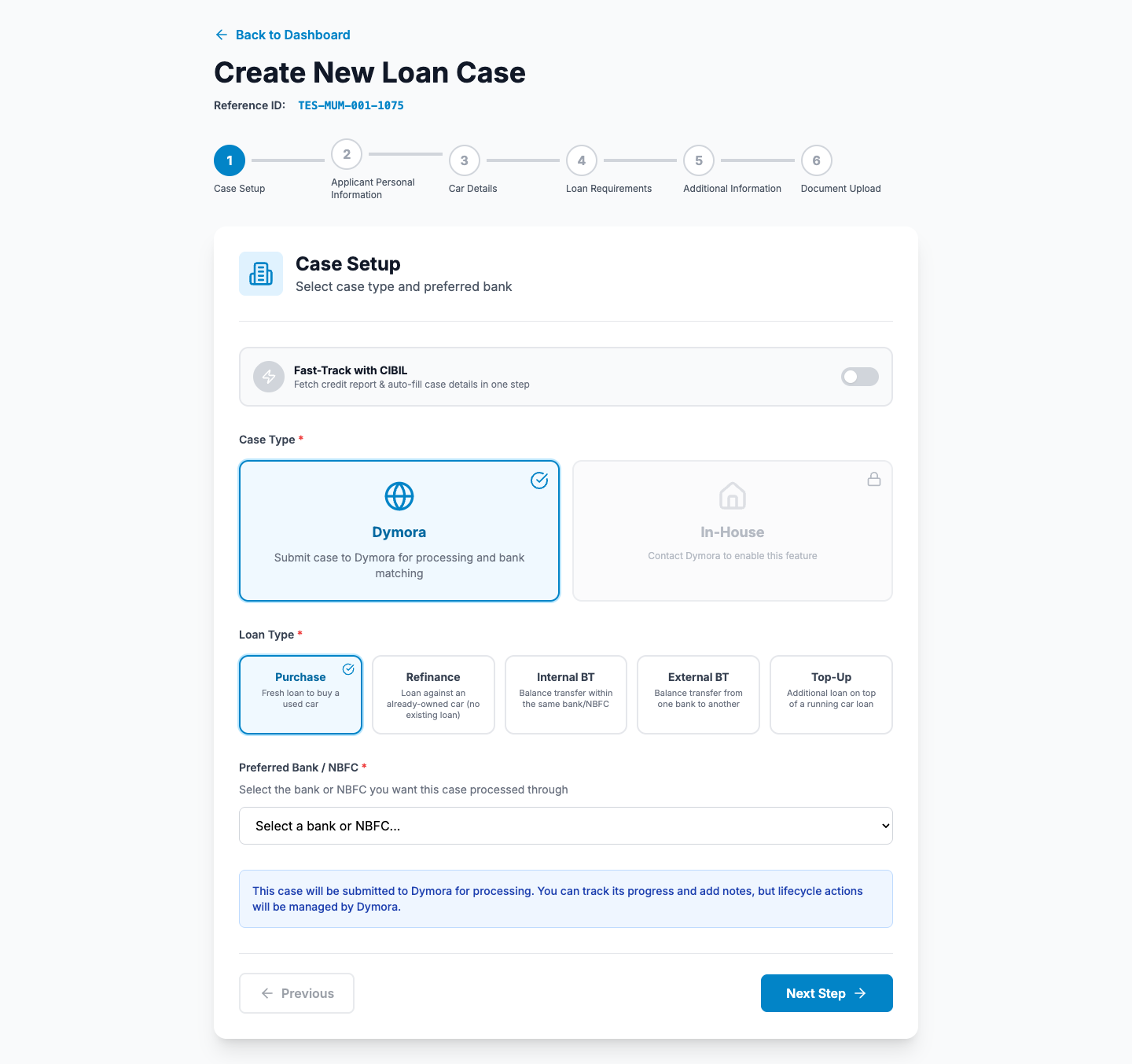
Create case wizard - Step 1: Case setup
Before you start
Customer KYC documents ready (PAN, Aadhaar, address proof, etc.)
Vehicle details (make, model, registration, valuation)
Know whether the case is Open market or In-house
Optional: CIBIL fast-track consent from the applicant
Wizard steps
1
Case setup
- Choose Case type - Open market (Dymora drives workflow) or In-house (your team manages, if enabled).
- Choose Loan type: Purchase, Refinance, Internal BT, External BT, Top-Up.
- For refinance/BT types, enter existing lender and outstanding amounts if prompted.
- Select Preferred bank from the list (grouped by lender type).
- Click Next.
2
Applicant personal information
- Full name, email, 10-digit mobile.
- PAN and Aadhaar (valid formats enforced).
- Date of birth.
- Address, city, state, pincode.
- Optional: toggle Fetch CIBIL to pre-fill fields from bureau (consent required).
- Click Next.
3
Car details
- Make and model (dropdowns from vehicle master).
- Manufacturing year.
- Registration number, chassis, engine number.
- Current market value (₹).
- Click Next.
4
Loan requirements
- Loan amount, tenure (12-60 months).
- Employment type, monthly income.
- Company / employer name.
- Work experience (years).
- Click Next.
5
Additional information
- Existing loans (count band).
- CIBIL score (or from fast-track).
- Purpose of loan.
- Click Next.
6
Document upload
- Attach each required document type (PAN, Aadhaar, car photos, address proof, insurance, bank statement, ITR as applicable).
- Review previews.
- Click Create Case.
After submission
- 1Success screen shows the new Case ID (CASE-...).
- 2Options: Create another case or Go to Dashboard.
- 3Open the case from All Cases to track status.
- 4For in-house cases: continue on the case page - CIBIL, bank allocation, approval.
Tips
- Double-check PAN and mobile before CIBIL pull - mismatches cause delays.
- Open market cases: you track progress; Dymora updates status.
- In-house cases: pull CIBIL and allocate to bank promptly after creation.